Step 1 of 4
Click the Permanent Clipboard icon in your browser toolbar to open the popup, then click the settings icon in the top-left corner.
Step 2 of 4
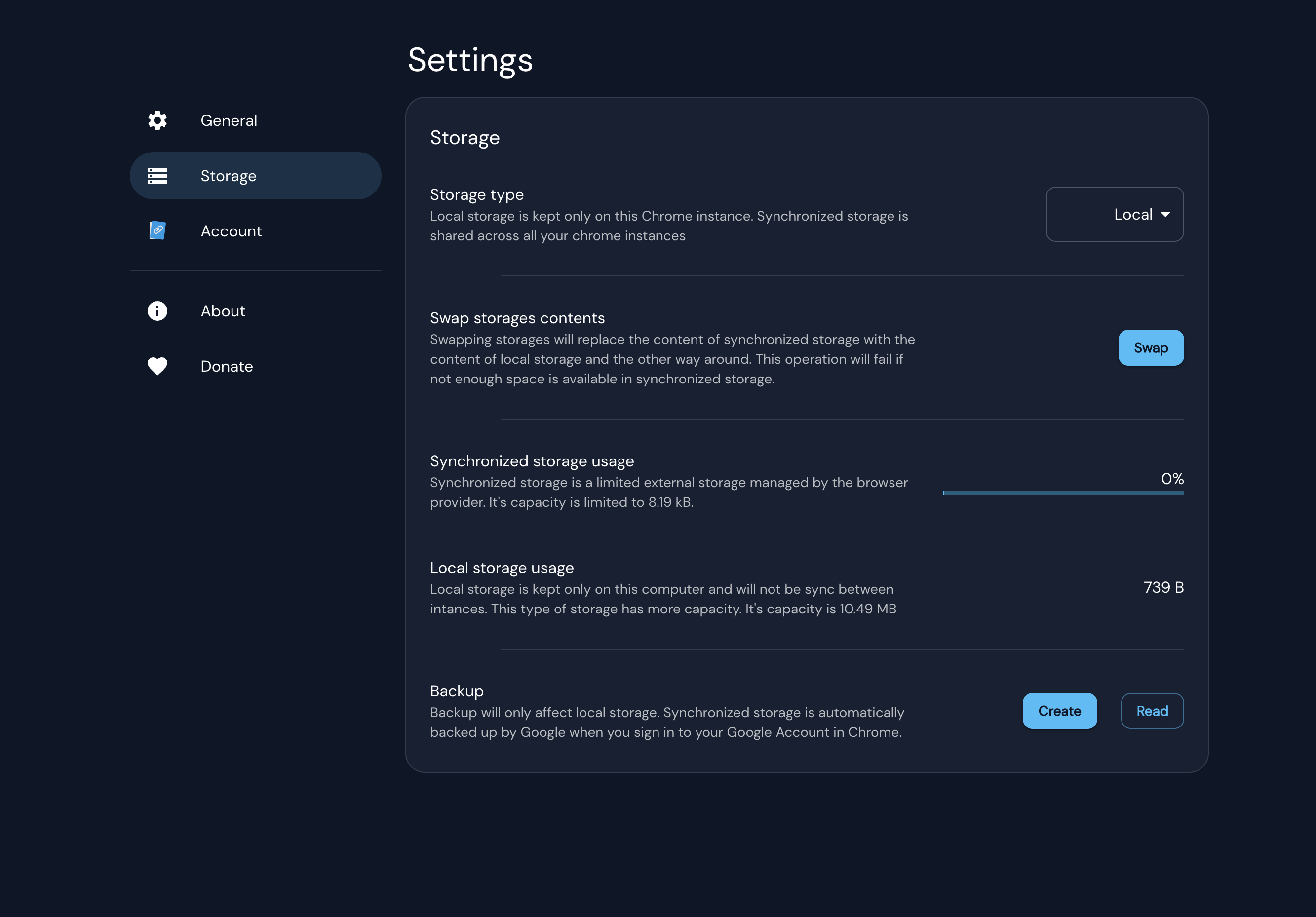
In the settings panel, select Storage from the left-hand menu.
Step 3 of 4
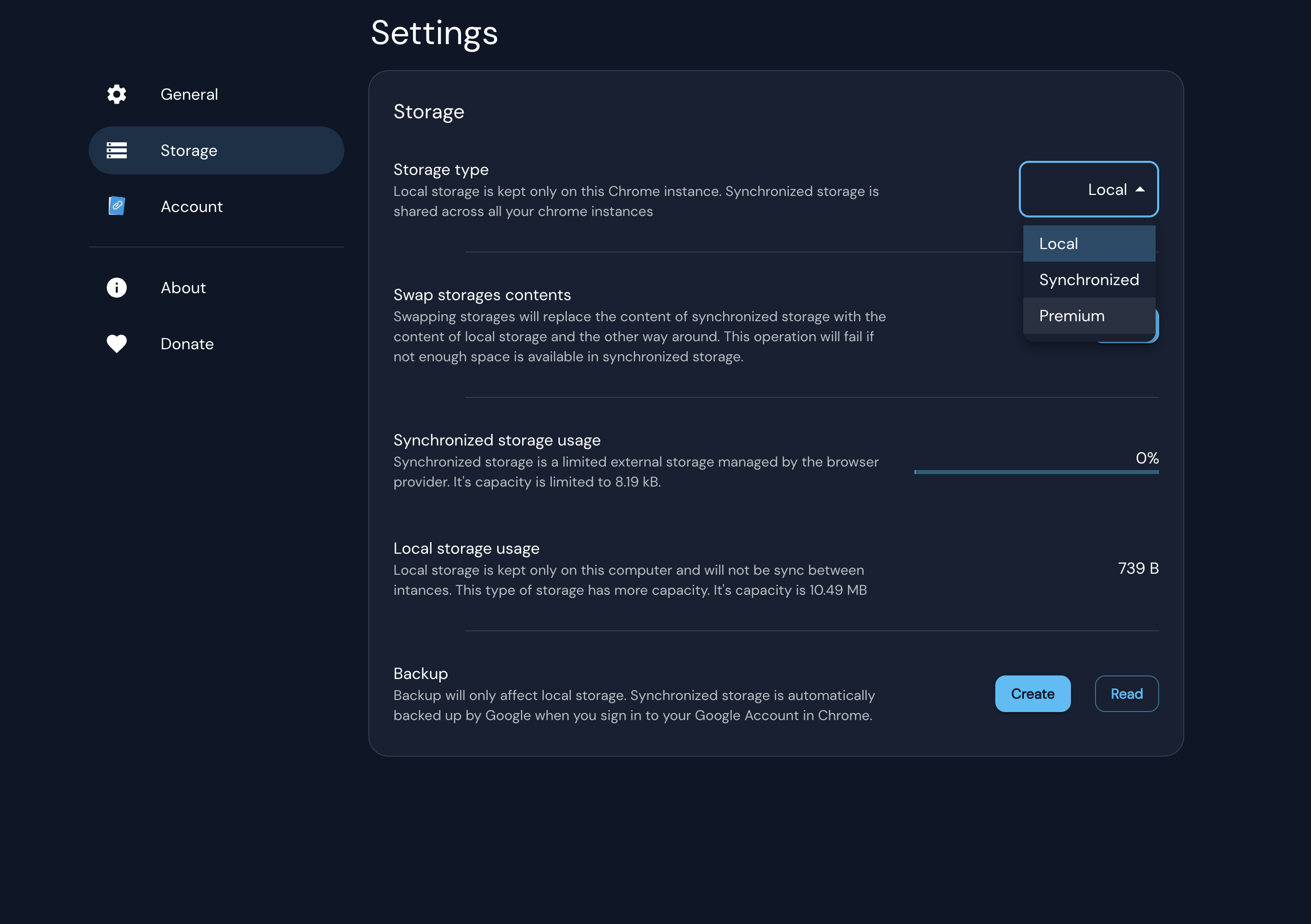
Choose Premium as your storage type. This stores your snippets in the cloud, enabling cross-device sync and image storage.
Step 4 of 4
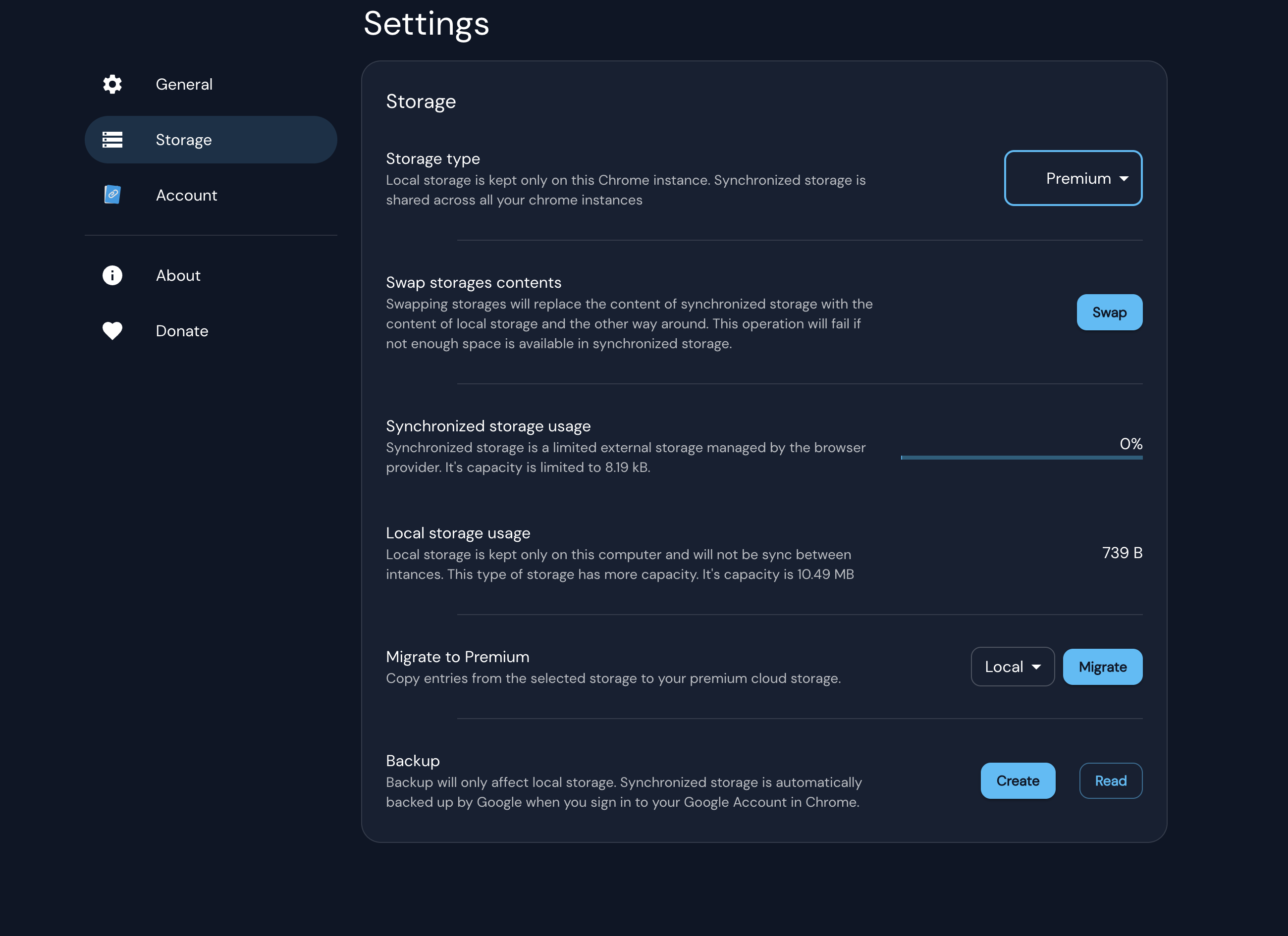
If you have existing snippets, confirm the migration prompt to move them to Premium storage. Nothing will be lost.